
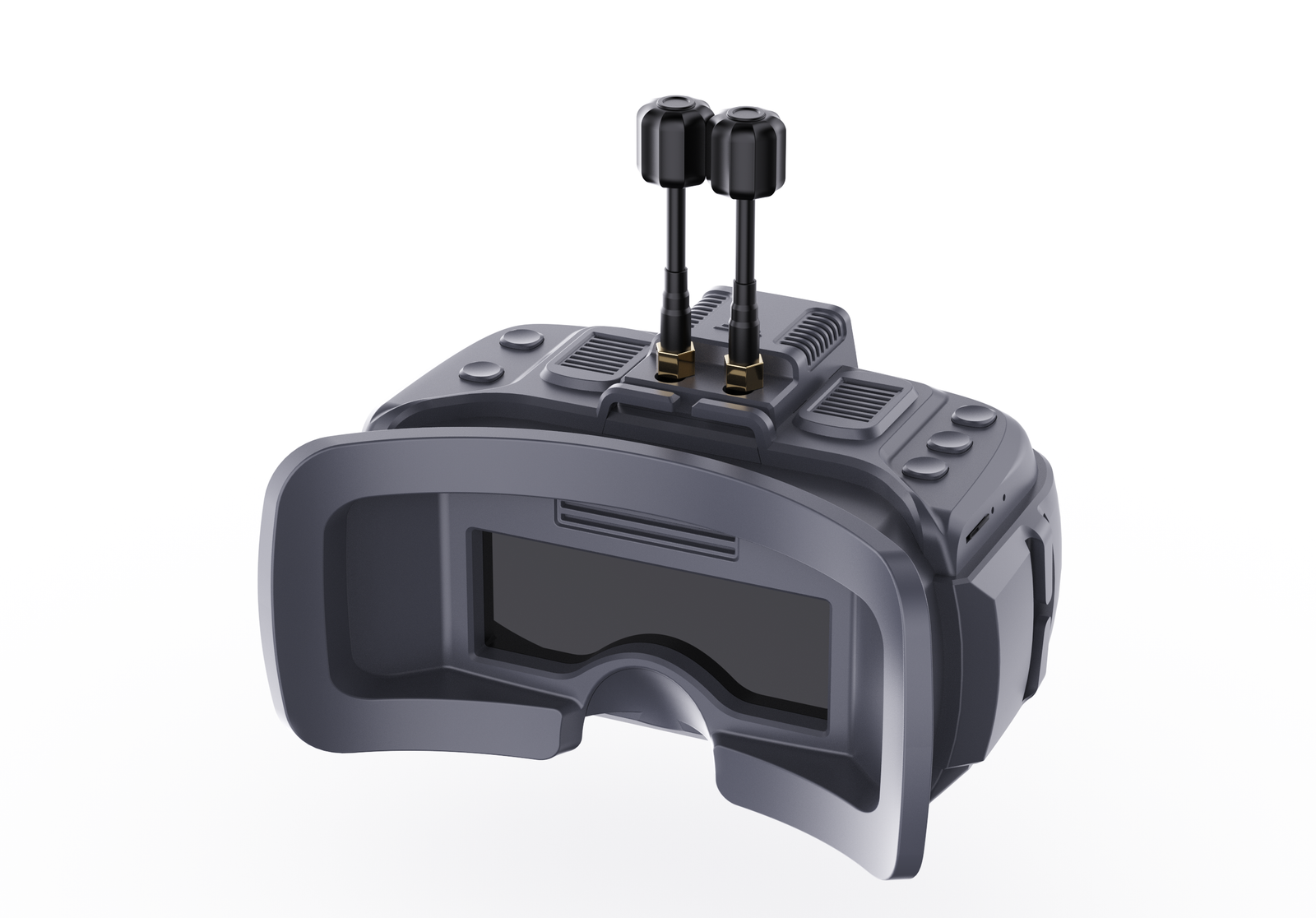


Product Appearance
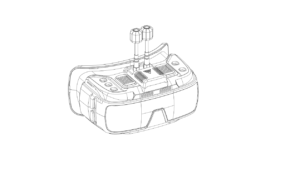
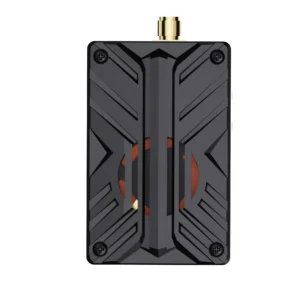
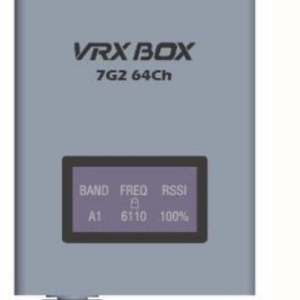
Support external receiver
Real time video transmission with zero latency
Supports HDMI high-definition video input
Built in 3.7V 2000mA polymer battery
Manually adjust the matching myopia degree (0 ° -700 °)
Product Feature
●New refractive optical path design, small in size and light in weight;
● Adjustable object distance function, can match 0-700 degrees of myopia;
Low power consumption, bare metal working current of 350mAh;
● Support external receiver modules;
● Equipped with card insertion and video recording function;
Adopting a 3.5-inch high-resolution and high brightness IPS screen;
● Built in 2000mAh high-capacity polymer battery;
● Universal TYPE-C charging interface, supporting 5-23V wide voltage charging;
Real time video display with zero latency;
● Supports menus in 8 languages;
● Supports external HDMI signal input;
● Support HDMI signal video input to DVR for recording;
Product Specification
| model | VR200L | |
| product name | Universal FPV Video Glasses | |
| Display screen specifications | Screen material: 3.5-inch IPS high brightness screen | |
| Display resolution: 1024 * 600 | ||
| Display specification: 16:9 | ||
| Field of view angle: 360 degrees full view angle | ||
| Backlight brightness: 500cd/m ² | ||
| Video Delay | Less than 10 milliseconds | |
| Interface Definition | Antenna head | Inner needle antenna head with SMA inner hole antenna |
| charging port | Using TYPE-C to charge the built-in battery (5-23V wide voltage charging) | |
| hdmi | HDMI jack supports video input | |
| Menu Language | Chinese/English/Japanese/German/French/Spanish/Italian/Russian | |
| dvr | Video size: VGA/D1/HD (three modes to choose from) | |
| Recording time: Off/3 minutes/5 minutes/10 minutes (optional) | ||
| Frame rate: 30 frames per second | ||
| Compression format: MJPEG | ||
| Video file format: AVI | ||
| Battery and power consumption | Power adapter: It is recommended to use a 12V2A or DC/5V2A charging head | |
| Battery specification: Built in 3.7V/2000mAh polymer battery | ||
| Product power consumption: *Working current 350mAh (without module) *The battery takes about 1 hour to fully charge and approximately 1 hour to use |
||
| module parameters | Customer Choice | |
| Dimensions and Weight | Body size: 158mm * 116mm * 85mm | |
| Body weight: 350 grams (excluding module antenna) | ||
Interface Definition
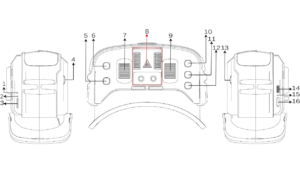
1. Forced shutdown button: Pressing the button in any state will power off the system and enter the shutdown state
2. Video recording instructions: display different working states of DVR
3. TF Card: TF card slot (can insert up to 32GB high-speed memory card)
4. Adjusting gear A: Rotating the gear can push the internal lens position to move, thereby adjusting the object distance
5. Power button: Long press (3 seconds) to turn on/off; Short press to enter the menu, then switch to the next menu with each press
6. Search button: Short press to automatically search for signals (lock the strongest frequency point of the signal at the end) Press and hold for 3 seconds to enter HDMI input mode.
7. Antenna head A: The inner needle antenna head is equipped with an SMA inner hole antenna
8. Fan outlet
9. Antenna head B: Inner needle antenna head with SMA inner hole antenna
10. Band+button: Short press to switch frequency bands (cycle between A-B-E-F-R frequency bands) In menu mode, it is –
11. RED button: Short press to start/stop recording
12. CH+button 11: Short press to switch frequency points (cycle through 1-2-3-4-4-5-6-7-8 frequency points), which is+in menu mode
13. Adjusting gear B: Rotating the gear can push the internal lens position to move, thereby adjusting the object distance
14. Charging port: using TYPE-C interface to support DC5-23V charging
15. Charging indicator: red when charging, green when fully charged
16. HDMI interface: using mini HDMI jack to support external video input
Menu Command
In power on mode, short press Power to enter the menu bar.
In menu bar mode:
Button 5: Scrollable Options
Button 6: Automatically search for channels
Button 10: Parameter Adjustment+
Button 11: Invalid
Button 12: Parameter Adjustment-
Replay Instruction
In menu mode, select the DVR option to enter DVR playback mode.
In DVR mode:
Button 5: Return/Exit Playback Mode
Button 6: Delete the current file
Button 10: Select video forward/adjust fast forward while playing video
Button 11: Play/Pause
Button 12: Select video backwards/adjust fast rewind while playing video
Legal Disclaimer
Important Notice on Radio Frequency Usage
1.DMKR high-performance VTX modules are powerful RF instruments.Designed for specialized industrial, research, and laboratory applications. By purchasing this product, the buyer acknowledges and agrees to the following:
2.Regulatory Compliance: It is the buyer’s sole responsibility to ensure that the operation of this device complies with local laws, radio frequency regulations, and licensing requirements in their respective country or region.
3.Professional Use Only: This equipment should only be operated by qualified professionals. DMKR is not liable for any legal consequences, fines, or damages resulting from illegal or improper use.
4.Frequency Licensing: The 7.2GHz band may be restricted or require a specific technician’s license for operation. Please consult your local telecommunications authority (e.g., FCC, OFCOM, BNetzA) before powering on the device.
5.Risk of Misuse: The user assumes all risks associated with the deployment of this hardware. DMKR does not authorize the use of these devices in prohibited areas, including but not limited to, near airports or restricted government airspace.
6.No Liability: In no event shall DMKR be held liable for any direct, indirect, or incidental damages, including hardware failure of the UAV/UGV or legal intervention, arising out of the use or inability to use this product.
7.Safety Warning: High-power RF devices generate significant heat and radiation. Ensure proper thermal management and maintain a safe distance during operation.
8.Hardware Modification: Unauthorized modification of the firmware or hardware may void compliance certifications and safety protections.

Reviews
There are no reviews yet.